An AI video proof of concept
VideoCreation
An idea in words.
A story in motion.
Explore what generative AI can do with a video brief, from a simple scene to a multi-shot story.
Internal Use Only. Experimental use only. No client, confidential or personal data.
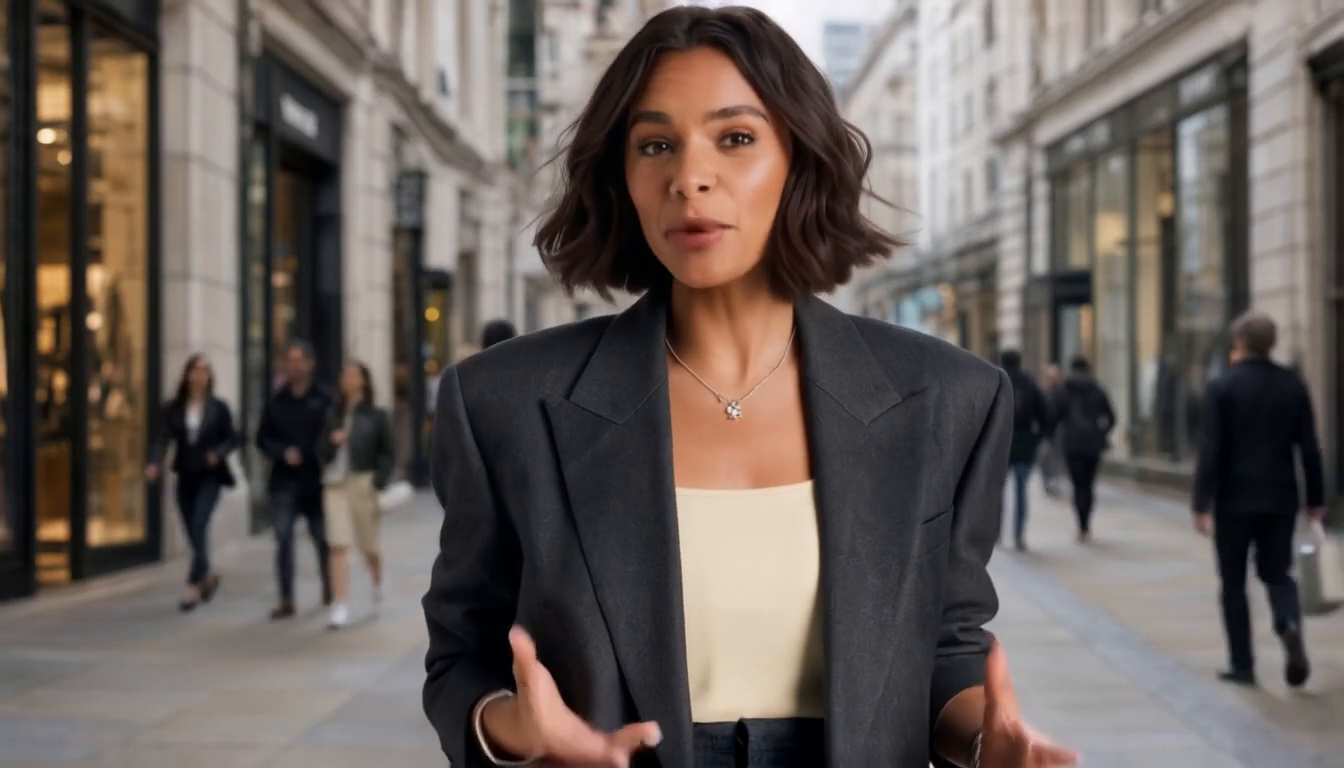
From the examples / Fashion predictions
From prompt to picture
Give your ideas
a moving image.
VideoCreation turns written prompts into AI-generated video. Describe a scene or provide a structured shot list, choose a resolution and clip duration, and let the app generate and assemble your video.
Preview the results, download an MP4 and explore different ways to tell a story. Use it to experiment with fictional explainers, visual concepts and storytelling, not for client work or production delivery.
Explore the full example libraryContinuity comes from the workflow
Coherent sequences.
Not just individual clips.
A video model is only one part of the story. VideoCreation connects image generation, image editing and video generation to build whole sequences with recognisable characters and a consistent visual direction across shots.
Rather than asking a model to invent every shot from scratch, the workflow carries prepared visual references into each clip. This helps reduce changes in identity, wardrobe and setting, while LTX 2.5 focuses on motion, performance and audiovisual detail. Results still need review: continuity is a goal, not a guarantee.
Define the character
Create a reference image that establishes who the character is and anchors their appearance across the sequence.
Prepare each scene
Edit the character reference into the required setting, clothing and lighting to give each shot a controlled visual starting point.
Generate controlled shots
Use those scene references with LTX 2.5 to produce individual clips that can be reviewed and regenerated independently.
Assemble the sequence
Join the clips with FFmpeg into a finished video. Reuse prepared assets and focus revisions on weaker shots instead of rebuilding everything.
Made with VideoCreation
See the possibilities.
Market research trends
View the project and promptFashion predictions
View the project and promptOne image at a time
Build a café scene from images.
Each clip needs to have continuity with the next clip, same people, same scenery, same props.
So a single clip could have a dozen or more pre-calculated images created to co-ordinate that.
In the example, three character portraits are combined two at a time. Then the result is merged with the café scene, coffee and menu, one image at a time. Every merge uses exactly two images; the finished frame goes to video generation.
Before you begin
Terms & conditions
A place to experiment.
Not a production service.
By using VideoCreation, you agree to these terms.
Internal Use Only
This proof of concept is for internal Ipsos experimentation only. Do not share access outside Ipsos or use it for external or client-facing work.
Proof of concept only
This app is an experimental proof of concept, provided "as is" and "as available", without warranties of any kind. Availability, security, accuracy and the quality of generated content are not guaranteed. Do not rely on it for professional advice, business decisions or client deliverables.
No client or sensitive data
Do not enter, upload or include any client data, confidential information, personal data or proprietary materials in prompts or other inputs. Use only fictional, synthetic or public material that you have permission to use. Do not assume that inputs or outputs are private or will be deleted.
Your responsibility
You are responsible for your inputs and for reviewing any output before using or sharing it. AI-generated content may be inaccurate, misleading or inappropriate. Respect copyright, privacy and other people's rights, and clearly identify synthetic content where required.
Limitation of liability
To the fullest extent permitted by applicable law, Ipsos and the app's creators and operators accept no liability for any loss, damage, cost or claim arising from your use of, or inability to use, this app or its outputs, including loss of data or profits. Use is at your own risk. Nothing in these terms excludes or limits liability that cannot lawfully be excluded or limited.
Keep the conversation going
Contact us
Questions, feedback or ideas for the proof of concept?